Pro Tools vs FL Studio: Picking the Best Music Making Software for You
Hey there! Whether you’re just starting in music production or have been doing it for a while, choosing the right software can make all the difference. When it comes to Pro Tools vs FL Studio — which one is best? Digital Audio Workstations (DAWs) are the heart of any music setup. They allow you to record tracks, tweak sounds, and bring everything together into a complete song.
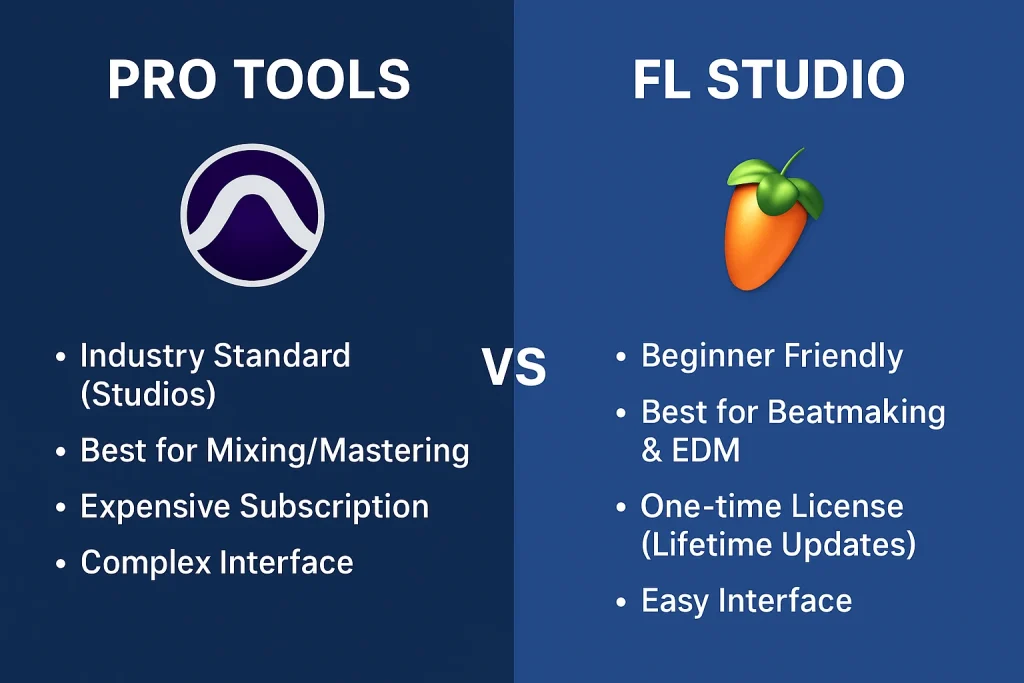
Today, we’re examining two popular options: Pro Tools, developed by Avid, and FL Studio, created by Image-Line. Both are powerful, but they shine in different ways. Pro Tools is often used in large studios for recording live bands, while FL Studio is a favorite among beatmakers and electronic music producers.
First off, let’s talk about what these programs do at their core. Both help you create music from scratch. You can plug in a mic to record vocals, add drum beats, layer synths, and mix it all until it sounds polished. But the way they handle things varies. Pro Tools feels like a traditional recording studio on your screen, with tools built for handling lots of audio clips from real instruments. FL Studio, on the other hand, started out focusing on patterns and loops, making it super quick for coming up with ideas in genres like hip-hop or EDM. Avid has been refining Pro Tools for years to make it the go-to for professionals, and Image-Line keeps updating FL Studio with cool features that keep it fresh and fun.
One thing to keep in mind is how easy they are to pick up. If you’re new to this, like maybe you’ve only played around with free music apps on your phone, FL Studio might feel more welcoming. Its layout is colorful and lets you drag things around easily. Pro Tools has a cleaner, more serious look, but it can take a bit longer to learn all the buttons and menus. Don’t worry, though – both have tons of online videos and communities to help you out.
Digging into the Features: What Each One Offers
Let’s get into the nitty-gritty of what these DAWs bring to the table. Features are where you see the real differences, and understanding them helps you see why one might be better for certain tasks.
Starting with the user interface – that’s the screen you stare at while working. In FL Studio, everything is customizable. You can move windows around, resize them, and make it fit how you think. The playlist is where you arrange your song, and the channel rack is like a quick spot for adding sounds and patterns. It’s great for building beats fast because you can loop small sections and stack them up. The piano roll, which is where you edit notes for instruments, is one of the best out there. You can draw in melodies, adjust timing, and even add effects right there. Image-Line packs in a bunch of built-in tools like synthesizers and drum machines, so you don’t always need extra plugins to get started.
Pro Tools, developed by Avid, goes for a more straightforward setup. It has two main views: the edit window for cutting and pasting audio, and the mix window that looks like a real mixing board with faders and knobs. This makes it awesome for recording live stuff, like a guitar or singer. You can set up multiple tracks easily and monitor them in real time without lag. The clip gain feature lets you adjust volume on specific parts of a track without messing up the whole thing. It also has smart tools for fixing timing, like Beat Detective, which can line up drum hits perfectly if they’re a bit off.
When it comes to recording audio, Pro Tools takes the lead. It’s designed for capturing sounds from mics or instruments with high quality. You can handle dozens of tracks at once, which is perfect if you’re working with a band. FL Studio Mobile can also record, especially in its higher editions, but it’s not as smooth for large sessions. Instead, FL Studio excels at MIDI, which is like digital notes for virtual instruments. You can program complex rhythms and melodies extremely quickly, and the automation clips allow you to change effects over time, such as fading in a filter on a synth.
Both support plugins, those extra bits of software that add new sounds or effects. Pro Tools uses AAX format, and it comes with a bunch from AIR Music Technology, like virtual synths and reverbs. FL Studio supports VST and AU, and it includes its own like Harmor for wild sound design or Gross Beat for glitchy effects. If you like experimenting with sounds, FL Studio’s tools feel more playful. Pro Tools is more about precision, with features like Elastic Audio to stretch or compress clips without changing pitch.
Another cool part is collaboration. Pro Tools has cloud features where you can share sessions with others online, which is handy for working with remote musicians. FL Studio has FL Cloud now, which gives you loops and samples to drop in, and it’s getting better for sharing projects too. For live performances, FL Studio has a performance mode that’s like a launcher for clips, similar to some other beginner-friendly setups out there.
In terms of updates, Image-Line offers lifetime free upgrades for FL Studio iOS once you buy it, so you get new features without paying extra. Avid updates Pro Tools regularly, but it’s subscription-based, so you stay current as long as you pay.
The Benefits: How They Help You Make Better Music
For beginners, FL Studio has a lot going for it. It’s affordable with that one-time buy, and the interface doesn’t overwhelm you. You can start making beats in minutes, which keeps things fun and motivating. If you’re into electronic music or remixing, the quick workflow means you can try ideas without getting stuck. Plus, it runs well on average computers, so you don’t need fancy hardware to get going. Many hit producers started with FL Studio because it’s so accessible, like turning simple loops into full tracks.
Pro Tools benefits those who want a professional edge. It’s the standard in many studios, so learning it opens doors if you plan to work with others. The sound quality is top-notch for mixing, with tools that make your tracks radio-ready. If you’re recording live instruments, the benefits are clear – less hassle with latency and better organization for complex projects. Avid also provides great support, like tutorials and forums, which can save time when you’re stuck.
Both have benefits for creativity. FL Studio encourages experimentation with its patterns and effects chains, helping you discover new sounds. Pro Tools helps with efficiency, like automating mixes so you can focus on the art. If you’re on a budget, FL Studio’s free updates are a big win. For teams, Pro Tools’ collaboration tools mean smoother workflows.
Think about portability too. FL Studio has a mobile version for phones and tablets, so you can sketch ideas on the go and sync them to your computer. Pro Tools is more desktop-focused, but it integrates well with hardware like control surfaces for hands-on mixing.
Overall, the benefit is in matching the DAW to your needs. If you want something fun and flexible for solo production, FL Studio delivers. For serious recording and industry-standard results, Pro Tools shines.
Technical Details: Pro tools vs fl Studio
Before jumping in, it’s smart to check if your computer can handle these programs. Let’s cover the basics.
For Pro Tools by Avid, you need a decent setup. On Mac, it works with the latest macOS versions like Sequoia, Sonoma, or Ventura, and processors from M1 up to M4 or Intel i5 or faster. For Windows, it’s Windows 10 or 11 with a 64-bit Intel Core i3 or better. You’ll want at least 16GB of RAM, though more is better for big projects. Free disk space? About 15GB for the install. You also need an internet connection to activate it, and a USB port for audio devices. For recording, use drives formatted right – APFS or HFS+ on Mac, NTFS on Windows. An iLok is required for licensing, either a physical dongle or cloud-based.
FL Studio from Image-Line is a bit more forgiving. It runs on Windows 8.1 or later, and macOS from High Sierra up, supporting both Intel and Apple Silicon chips. The exact specs depend on what you’re doing – a faster CPU and more RAM mean you can load more plugins and tracks without slowdowns. Aim for at least 4GB RAM, but 8GB or more is recommended. Disk space is around 2GB for the install, plus room for your samples. It doesn’t require special hardware, but a good audio interface helps with low latency. The trial version lets you test it on your machine to see how it performs.
Performance-wise, both are stable, but Pro Tools can handle huge sessions with high track counts thanks to its Hybrid Engine that uses your computer’s power efficiently. FL Studio is optimized for multi-core processors, so it runs smooth on mid-range laptops. If you’re using lots of virtual instruments, more RAM helps in both.
Compatibility is key too. Pro Tools works with AAX plugins, and it’s great with Avid hardware. FL Studio handles VST, AU, and its own formats, making it easy to use third-party stuff. Both support high sample rates like 192kHz for pro audio quality.
If you’re on a laptop, watch for heat and battery life – heavy use can drain it fast. External drives are good for storing projects to keep your main drive speedy.
How to Install Them: Pro tools vs fl Studio
Getting started is easy if you follow the steps. Here’s how to set up each one.
For Pro Tools:
- Make an Avid account if you don’t have one. This is where you’ll manage your license.
- Get your activation code – if you bought it, it’ll be in your email or account. Sign up for iLok if needed, and link your license there.
- Uninstall any old versions to avoid conflicts.
- Install drivers for your audio hardware if you have any.
- Download the installer from Avid’s site. It’s a big file, so use a good connection.
- Run the installer and follow the prompts. It might ask for your admin password.
- After install, open Pro Tools and sign in with your Avid account.
- Activate using iLok – either plug in the dongle or use the cloud option.
- Restart your computer, then launch it again to make sure everything works.
- Tweak settings for your audio device to get low latency.
If something goes wrong, check Avid’s support site or re-download the file.
For FL Studio:
- Create an Image-Line account on their website.
- Download the installer – the trial is the full version, so start there.
- On Windows, run the .exe file; on Mac, open the .dmg and drag to Applications.
- Follow the setup wizard – it installs everything, including plugins.
- If you’ve bought it, log in to your account and download your regkey file.
- Open FL Studio, go to the help menu, and unlock with the regkey.
- You can install on multiple computers you own, but only for your use.
- For offline computers, save the installer and regkey on a USB drive and transfer them.
- Set up your audio settings in options for your sound card.
- Update to the latest version right away for new features.
Both installs take about 10-30 minutes, depending on your speed. Always back up your computer first.
Pros and Cons of Pro tools Vs Fl studio
No software is perfect, so here’s a balanced look.
For Pro Tools (Avid):
Pros:
Cons:
For FL Studio (Image-Line):
Pros:
Cons:
Weighing these helps – if cost and ease matter, go for FL Pro recording, Pro Tools wins.
Frequently Asked Questions
Q: Which one is better for beginners?
A: FL Studio is often easier to start with because of its simple layout and focus on fun patterns. It’s like playing with building blocks for music.
Q: Can I use both on Mac and Windows?
A: Yes, both run on both systems, but check the specific versions for compatibility.
Q: How much do they cost?
A: Pro Tools starts at about $30 a month or $300 a year, with higher tiers. FL Studio is $99 for basic, up to $499 for full, one-time.
Q: Do they come with sounds and effects?
A: Absolutely. FL Studio has tons of built-in instruments and effects. Pro Tools includes virtual synths and processing tools.
Q: What if I want to switch later?
A: You can export projects as stems or MIDI to move between DAWs, but it’s not always seamless.
Q: Is there a free version?
A: Pro Tools has a free Intro version with limits. FL Studio’s trial is unlimited but you can’t reopen saved projects until you buy.
Q: How do they handle big projects?
A: Pro Tools is built for huge sessions. FL Studio can too, but might need more RAM.
Q: Can I use them for podcasts or sound design?
A: Sure, both work, but Pro Tools is stronger for voice recording.
Q: What’s the community like?
A: Both have active forums and YouTube channels full of tips.
Q: Do they support touch screens or controllers?
A: Yes, FL Studio works well with pads for beats, Pro Tools with mixing boards.
That covers the basics. Hopefully, this helps you choose between Pro Tools from Avid and FL Studio from Image-Line. Remember, the best DAW is the one you enjoy using – try the trials and see what clicks. Happy music making!
Conclusion: Your Music, Your Choice
Pro Tools by Avid and FL Studio by Image-Line are both great for music, but they fit different needs. Pro Tools is awesome for recording live instruments and pro-level mixing, though it’s trickier to learn and costs monthly. FL Studio is perfect for beginners making beats or electronic tracks, with a one-time buy and free updates. If you’re into live recording, go with Pro Tools. For quick, fun beat-making, pick FL Studio. Not sure? Try their free trials and see what clicks. Avid and Image-Line built solid tools, so choose what feels right and start creating!