FL Studio vs Logic Pro X: Picking the Right Tool for Your Music Making
Making music on your computer has never been easier. With the right software, you can turn simple ideas into full tracks, whether you’re just starting or have some experience. FL Studio vs Logic Pro X: Two popular choices stand out for beat making and audio editing: FL Studio from Image-Line and Logic Pro X from Apple. Both let you create, record, and polish sounds, but they work in different ways. If you’re trying to decide between them, think about what kind of music you want to make and how you like to work. Let’s break it down so you can see which one might fit you better.
First off, these are digital audio workstations, or DAWs for short. They’re like a virtual studio where you handle everything from laying down beats to mixing the final sound. Image-Line started FL Studio back in 1998 as a simple loop tool, but it’s grown into a full powerhouse. Apple launched Logic Pro X in 2013 as an upgrade to their earlier versions, building on tools that help with recording real instruments and building complex songs. Both have huge communities and are used by pros, but they shine in different spots.
What Makes FL Studio Stand Out
FL Studio, made by Image-Line, feels fun and quick right from the start. It’s great if you like jumping in and experimenting. The main screen has a channel rack where you load sounds and patterns, like building blocks for your track. You can drag in samples, make beats with the step sequencer, or play notes on the piano roll. The piano roll is one of its best parts—it’s super easy to draw in melodies, adjust timings, and even add slides or chords without much hassle.
One big plus is how it handles loops and patterns. You create short clips, like a drum loop or bass line, then arrange them in the playlist to build your song. This makes it perfect for electronic styles where you repeat sections and tweak them on the fly. It comes with tons of built-in sounds, like synths and effects, and you can add more from outside sources. Image-Line keeps updating it for free once you buy it, so you get new tools without paying extra.
On the benefits side, it’s flexible. You can run it on Windows or Mac, so no worries if you switch computers. It’s also lighter on your system, meaning it runs smoothly even on older machines. For beginners, the layout might look busy at first, but once you get it, you can make a basic beat in minutes. Pros use it for hip-hop and dance tracks because it’s fast for layering sounds and automating changes, like fading in effects or changing pitches.
Logic Pro X: Apple’s Take on Music Creation
Logic Pro X, developed by Apple, takes a more straight-line approach. It’s set up like a traditional studio, with tracks stacked from top to bottom. You record audio or MIDI right into the timeline, then edit and mix everything in one view. Apple designed it to feel clean and organized, with big buttons for common tasks and a mixer that looks like real hardware.
It excels at recording live stuff, like guitars or vocals. The flex time tool lets you fix timing issues without messing up the feel, and flex pitch helps tune notes. There’s a huge library of loops and instruments included, from realistic drums to orchestral sounds. You can loop sections live, similar to some performance tools, which is handy for trying ideas without committing.
Benefits wise, it’s tied to Apple’s ecosystem, so it works seamlessly with Mac hardware. Updates are free, and it handles big projects well, like songs with lots of layers. For folks coming from simpler apps, it’s a natural step up because it shares some looks with free music tools on Mac. It’s strong for mixing, with built-in effects like compressors and EQs that sound pro out of the box. Many use it for rock, pop, or film scoring since it’s good at handling real audio clips.
Key Differences: FL Studio vs Logic Pro X
When you put them side by side, the differences show in how you work. FL Studio’s mobile interface is colorful and modular—you can move windows around and focus on patterns. It’s like playing with Lego. Logic Pro X is more linear, with everything in one big window, which helps when you’re building a full song from start to finish.
For workflow, FL Studio wins if you like quick sketches. Drop a loop, copy it, tweak it, and build up. Automation is simple—draw curves for volume or filters right in the playlist. Logic Pro X flows better for recording sessions. Set up tracks, hit record, and edit on the fly. Its smart tempo matches imported audio to your project speed, saving time.
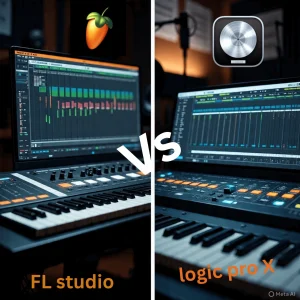
Learning curve? Both are approachable for kids in middle school and up. FL Studio might click faster for beat-focused work because of the channel rack. You can make something cool in under an hour. Logic Pro X has a bit more to learn for mixing, but tutorials are everywhere, and it’s intuitive if you’ve played with basic audio apps.
On features, FL Studio has killer tools like the Gross Beat for time effects or Harmor for deep synth sounds. Logic Pro X counters with Alchemy, a synth that morphs samples into new tones, and Drummer, which creates realistic beats. Both support outside plugins, but Logic uses Audio Units on Mac, while FL Studio handles VSTs on both platforms.
Recording is where Logic pulls ahead. It supports up to 1000 tracks, great for big sessions with mics and instruments. FL Studio does audio too, but it’s more geared toward samples and MIDI. For post-production, like adding effects or mastering, both are solid. FL Studio’s max plugins help polish beats, and Logic’s mastering assistant analyzes your mix and suggests tweaks.
Minimum Requirement for FL Studio vs. Logic Pro X
To get going, check your setup. For FL Studio PC, Image-Line recommends Windows 10 or later, or macOS 10.15 and up. You’ll want at least 4GB RAM, but 8GB is better for smooth playback. A fast CPU like an Intel i5 or AMD equivalent, helps with heavy projects. Storage? About 2GB for the app, plus space for your sounds.
Logic Pro X needs macOS 13.5 or newer, since it’s Apple-only. Aim for 8GB RAM minimum, though 16GB handles more tracks without glitches. An M1 chip or better makes it fly, but older Intel Macs work if they’re from 2018 on. It takes 6 GB to install, but the full sound pack needs 72 GB.
Installation: Easy Steps for Both
Getting FL Studio set up is straightforward. Head to image-line.com and download the installer for your OS. Run the file, and pick “install for all users” if sharing the computer. It asks for folders—stick with defaults unless you know better. Once done, open it, log in with your account to unlock full features. If it’s a trial, you get everything but can’t reopen saved projects until you buy.
For Logic Pro X, open the Mac App Store and search for it. Click buy ($199.99), or try the 90-day free trial first. Download starts automatically. When finished, find it in Applications, launch it, and sign in with your Apple ID. It might prompt for sound downloads—grab the basics first, and add more later from the library menu.
Pros and Cons of FL Studio vs Logic Pro X
FL Studio pros: Cross-platform, lifetime updates, fast for beats, customizable layout. It’s budget-friendly, starting at $99 for basic and up to $499 for all plugins. Cons: Audio recording feels secondary, and the interface can be overwhelming at first.
Logic Pro X pros: Deep integration with Mac, amazing for live recording, huge free library. A one-time $199.99 fee covers everything. Cons: Mac-only, steeper for pure electronic work, no Windows support.
Which one wins for you?
It depends on your style. Go with FL Studio if you love making beats quickly, work on Windows or Mac, and want flexibility. Image-Line’s tool is ideal for electronic and hip-hop fans. Pick Logic Pro X for recording bands, vocals, or detailed mixes on your Mac. Apple’s software feels pro for songwriters and studio sessions.
Either way, both from Image-Line and Apple let you grow. Start small, add skills, and see your music improve.